Give everyone a clear role.
Keep collaborators, decisions and questions in the same study. Know what is ready and what needs attention.
Lab Network
Agree the protocol, keep the discussion together, and run research rounds on each lab’s local images. Review the evidence side by side, with a clear record of what changed.
Training images stay on each lab’s computer. Model updates and agreed research summaries are exchanged.
Already invited? Join a study
How a study comes together
Keep collaborators, decisions and questions in the same study. Know what is ready and what needs attention.
Each lab prepares its own images and approves its participation. Local clients carry out the agreed research rounds.
Compare the shared candidate with local baselines. Keep held-out results, sample counts and the study history together.
A useful home for the work
Start with a question your collaborators can work on together. Your study keeps the protocol, conversation and deliberately shared results within reach.
Open the study workspaceA shared question and written plan everyone can return to.
Questions, decisions and context, with their authors attached.
Preview a summary of reviewed observations before publishing it to the study.
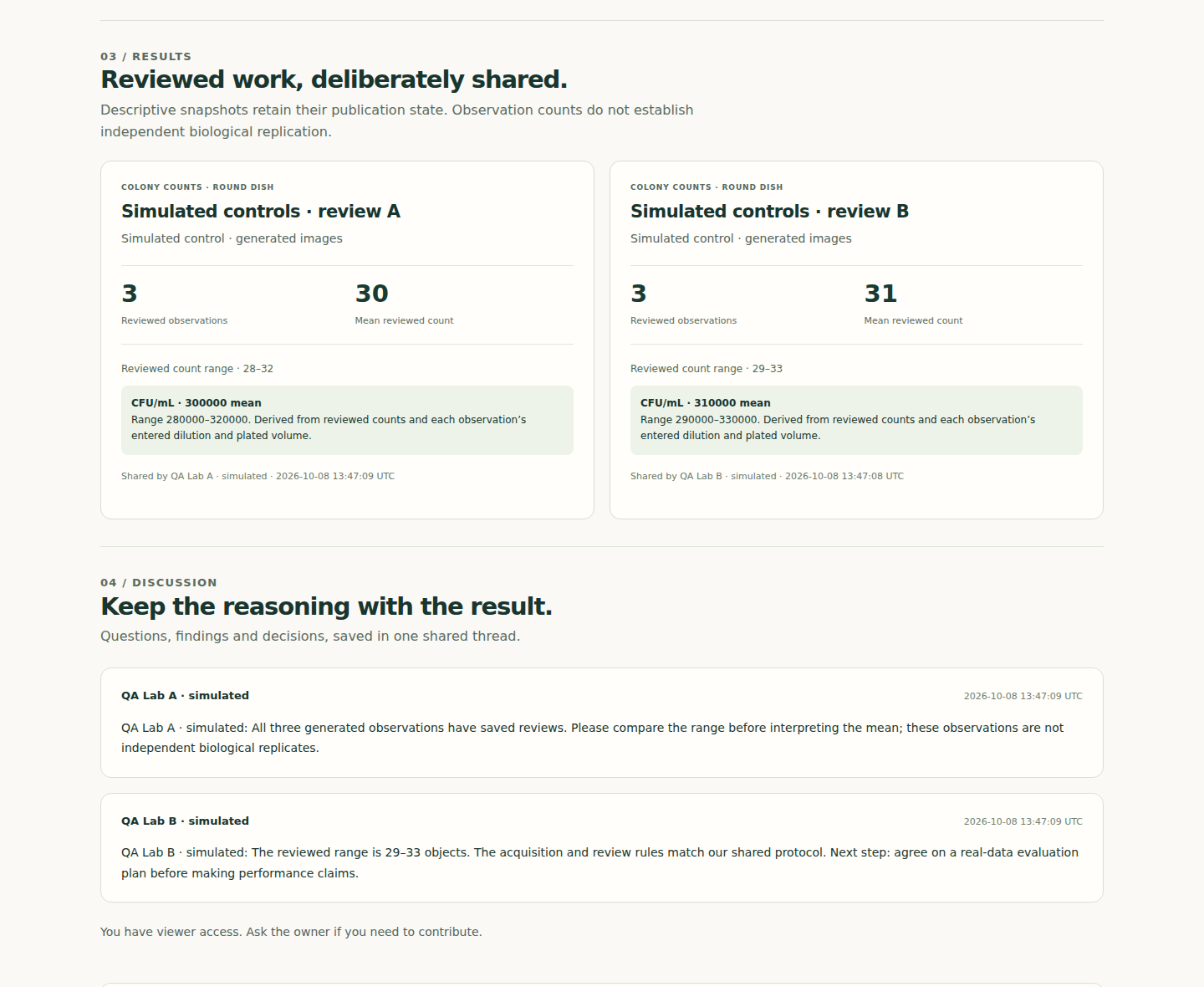
From the running workspace. Saved, reviewed summaries and the conversation around them. This walkthrough uses generated images and simulated participants; it shows the interface, not real-lab performance.
Inspect the full screenshot →Connected federated learning
Test whether learning across your participating labs helps on a lab the model has not seen.
The client runs on each lab’s computer. Training advances while the required clients stay connected.
Explore the research method →Each lab prepares its annotated images, chooses its role and records separate data-owner consent.
The owner locks the roster and settings. Connected clients train locally and exchange the required updates.
Local baselines and held-out evaluation lead to a downloadable report and research candidate.
Lab Network · Shared research
One coordinating account brings the people, reviewed summaries and connected research rounds together.
For the paying account: 1,500 Petri analyses and 1,000 assay analyses per UTC month, 48 photos per batch and 300 saved photos. Invited members keep their individual analysis and storage allowances.
€99/ month
Per coordinating account.
Invited members can join with a free account.
Monthly subscription · Review the order before payment
See how a shared study worksBefore you start
Start with collaborators you already know and one question you can evaluate together.
No. Your projects and photographs remain in your account. You choose which reviewed observations to summarize, inspect the preview, and publish the aggregate summary yourself. Joining also does not enroll your images in training.
The study owner needs Lab Network to create and maintain active studies. Invited contributors and viewers can join with free accounts. The owner’s included analysis capacity is personal; each invited member keeps their own allowance.
At least two training accounts and one separate held-out account, prepared local datasets, and explicit permission from each data owner. Install the Python client on each participating computer and keep it connected for the required steps. The setup guide walks through this.
A research report comparing the final candidate with local baselines, per-site aggregate evaluations, and a downloadable candidate for local research predictions. Completion does not establish a real-world accuracy improvement or activate the candidate in DishFlow. Read the method and evidence boundary.
Leaving removes your shared summaries and discussion. Hosted learning artifacts are also removed for every frozen run involving your lab, including completed runs. The same applies when you are removed or delete your account. Copies that members have already downloaded cannot be recalled.
The study and its exports remain readable. New content, invitations and learning pause until the owner restores Lab Network. Members can still withdraw their shared content and participation.