DishFlow / Interactive practice

Try the review.
Get a feel for the work.

Inspect the overlay, correct the marks, and export a practice result. You can explore every step here before you bring your own photos.

No account neededGenerated practice imagesEdits stay in this tab
  1. 1Inspect the overlay
  2. 2Correct the marks
  3. 3Export your practice
Clear practice imageGenerated illustration
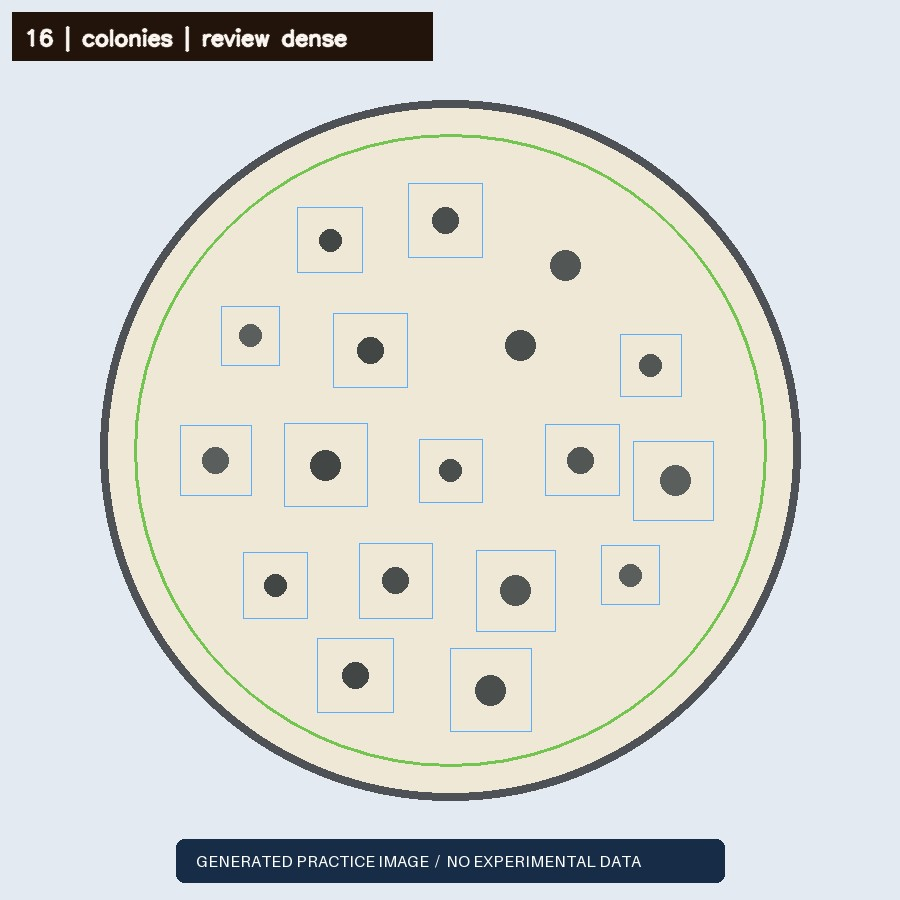
Detector overlay on a generated practice dish with drawn circular shapes. This is not an experimental photograph.

Boxes are actual proposals from the current DishFlow engine. The underlying image is generated.

A two-image practice batch

Start clear. Then try blur.

Both images are programmatically drawn. The second has deliberate blur so you can inspect how its proposals and warnings change.

16Automated candidates
—Your practice marks

After starting review, click an object to add a mark; click a mark to remove it. For keyboard editing, focus the image, use arrow keys to move the cursor, and press Enter. Tab to any existing mark to remove it.

Loading the practice controls…

Image measurements & warnings
Candidate coverage
24.0%
Median diameter
72.84 px
Image quality heuristic
1.00
Engine
dishflow-cv-0.2
  • Dense or confluent visual growth detected; object counting may under-represent merged structures.

The quality score is not the probability of a correct count. Sizes are in pixels.

Keep both layers

Export your practice review.

The CSV keeps the automated count and your practice marks in separate rows, including their coordinates and generated-image provenance.

The real workspace exports an observation ZIP with the image, overlay, counts CSV, and review history. This demo does not create a saved experiment.

A working example, with a clear boundary.

The same DishFlow detector processes these generated pixels. The example teaches the review workflow; it does not establish accuracy on real plate photographs. Your edits stay in this tab and are included only in the file you choose to download. Refreshing resets the practice.

Inspect the evidence · View this fixture’s engine output

Bring the workflow to your next batch.

Get a clear photograph, match the IDs, and check the result against your original record.